
API key generation
For API key generation you need have registered to enotifiers, login with your email id and password, After successful login into enotifiers, you would gain access to the API key.
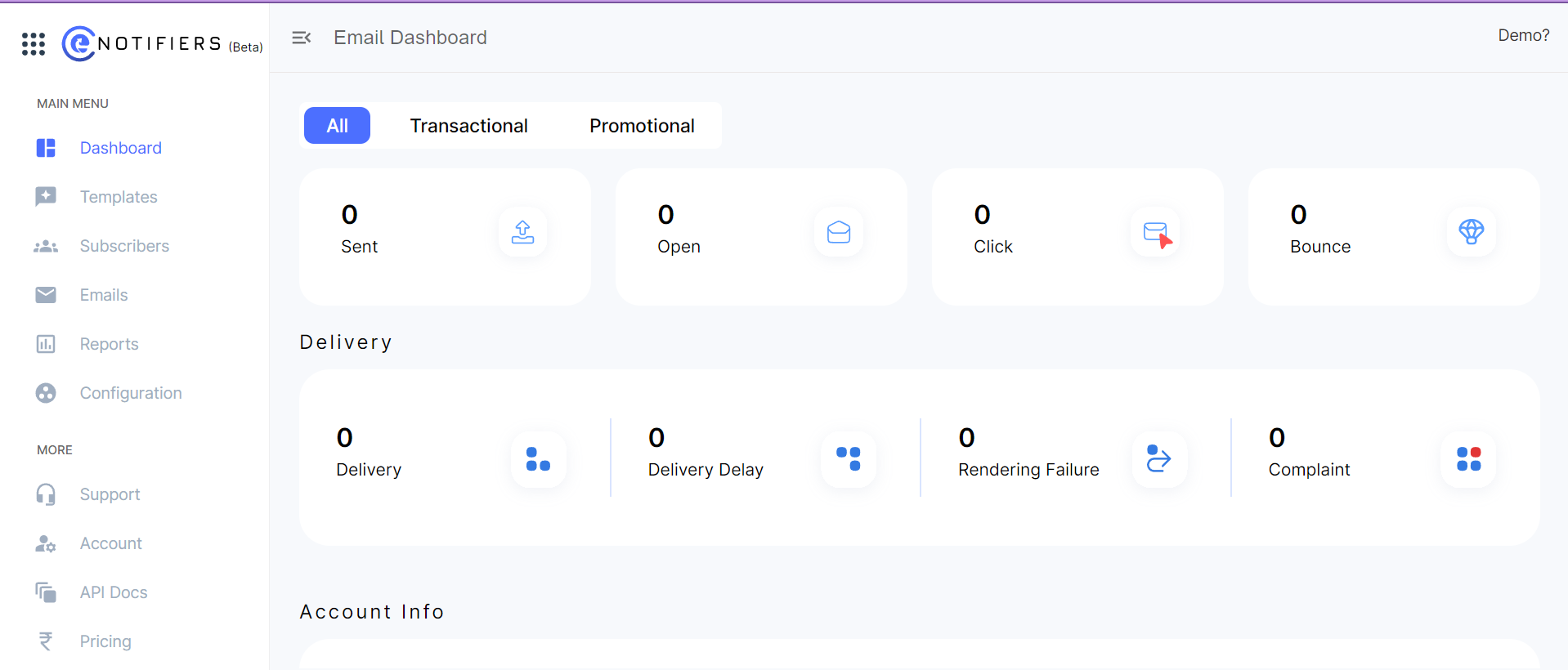
Steps to get API key.
Step 1: Under the main menu section you would see more option under more section select "Account" to access your account settings, which will navigate to your My profile section.
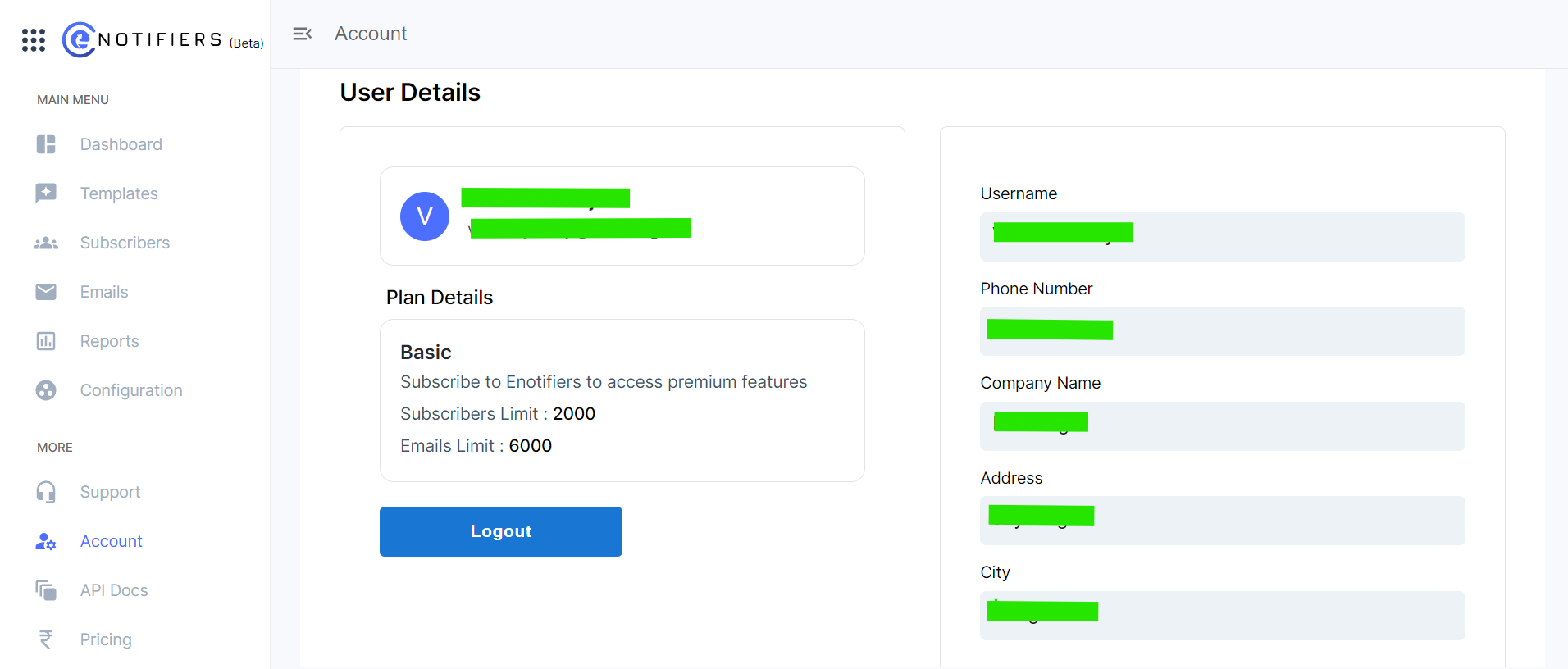
Step 2: In My profile section navigate to Api key section, click on generate API key. Client id and client secret key are generated and displayed on the screen.
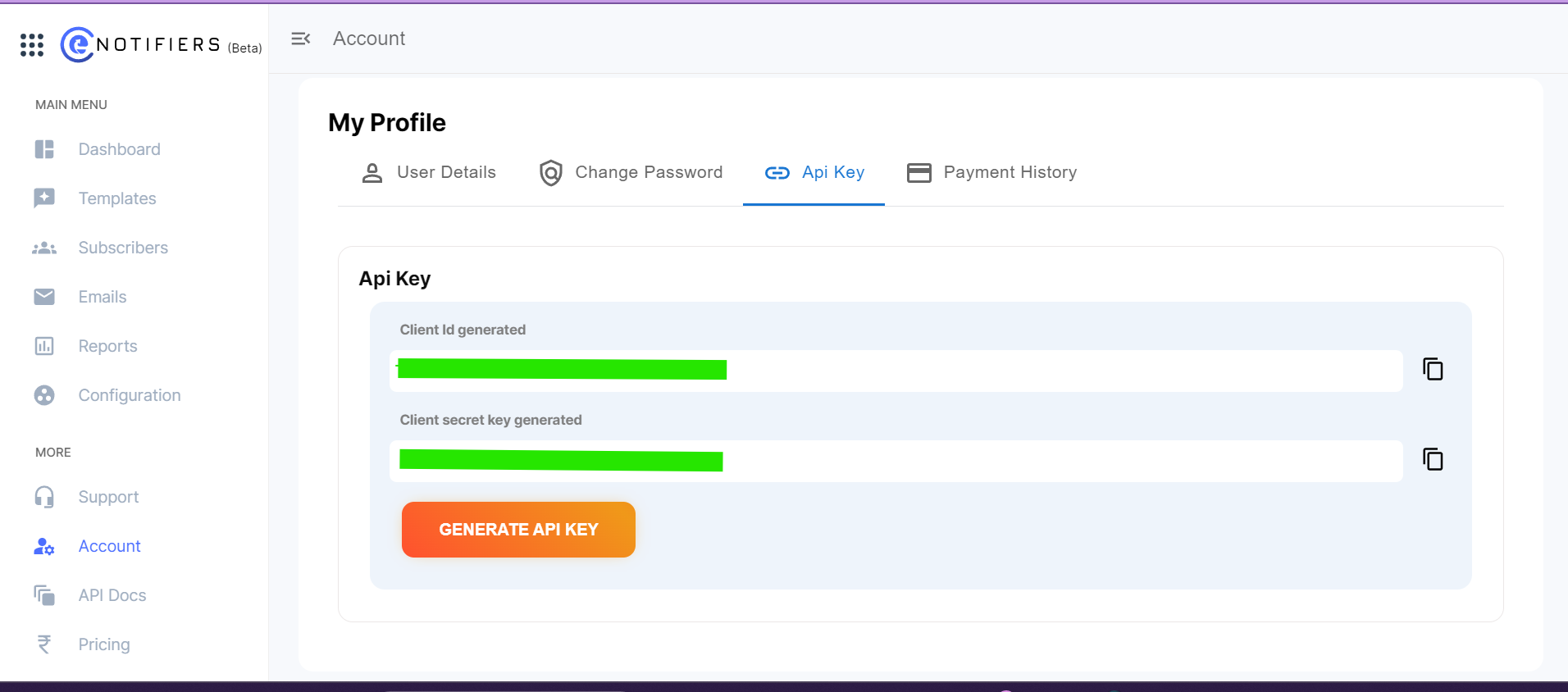
Note: Make sure to copy and securely store these keys, as they will be required for authentication and accessing the API endpoints.
Use of client id and secret key
Step 1: Now open postman create your workspace, copy the curl from the doc section of enotifiers and paste the curl in Enter URL or paste text section.
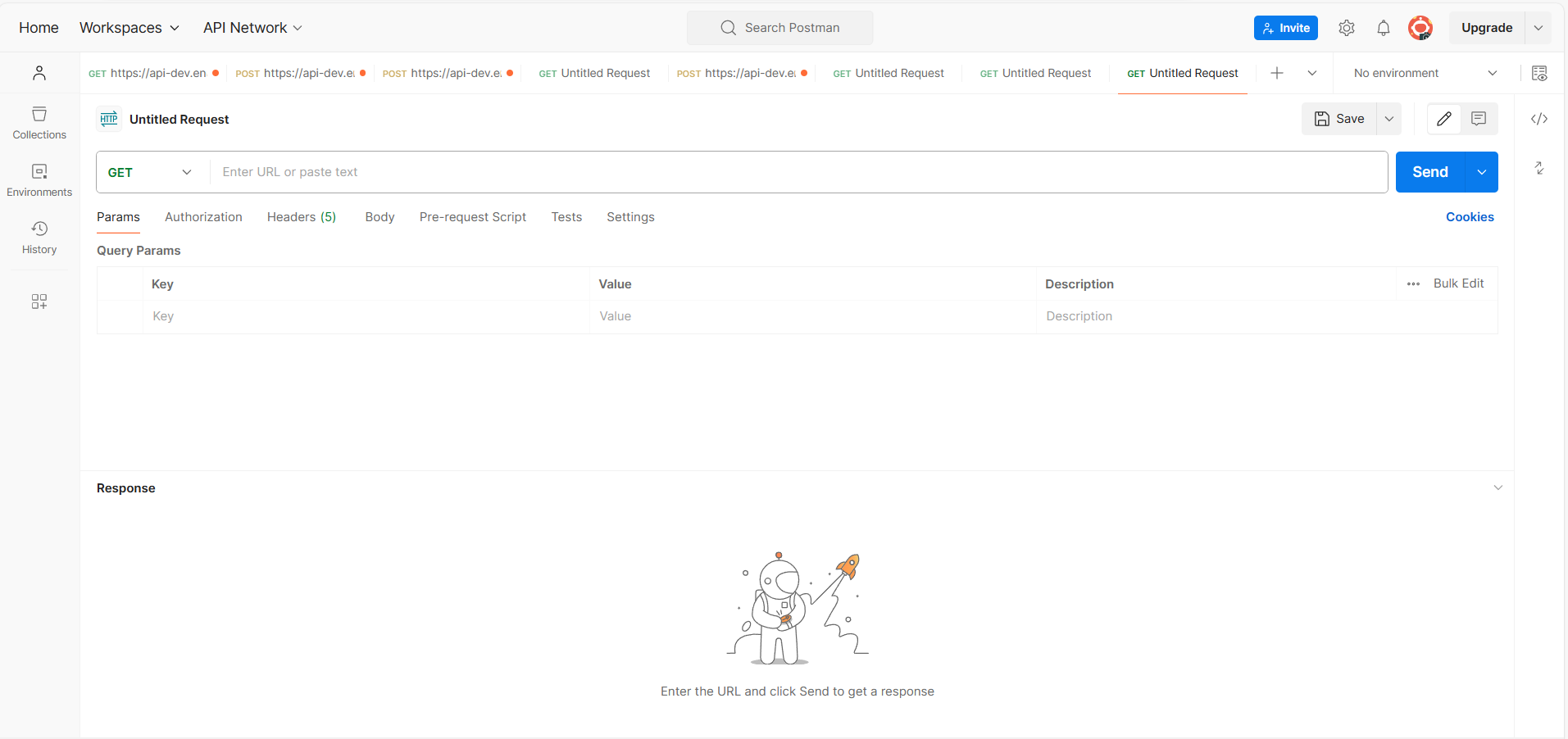
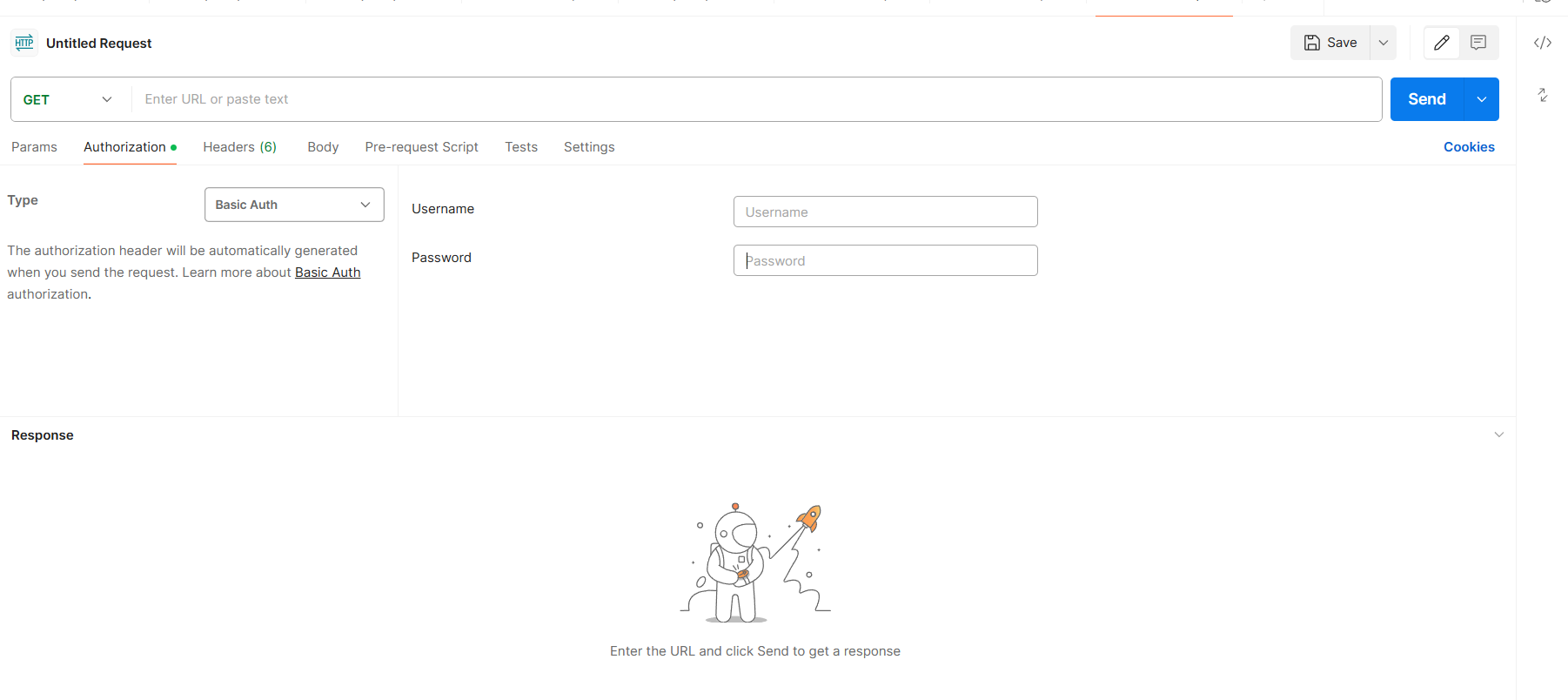
Step 2: Now navigate to Authorization in Type, click on the drop down and select Basic Auth enter the username and password.
Note: Client Id generated is the user name.
Note: Client secret key generated is the password.
Step 3: Provide the details asked in the body section of raw and hit on send.
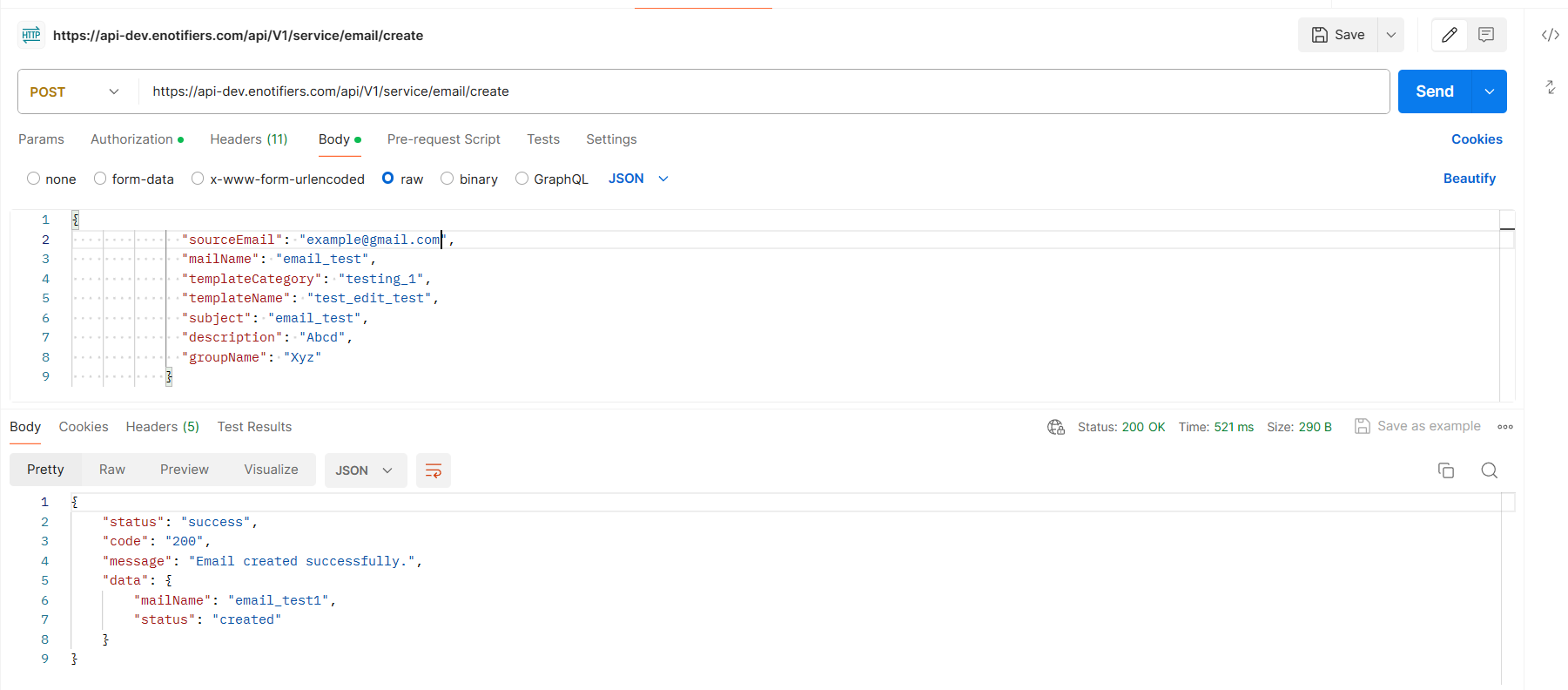
success response is generated, if failed response is generated recheck details of body section.