Amazon Web Services (AWS) is a comprehensive and widely-used cloud computing platform offered by Amazon.com. Launched in 2006, AWS provides a vast array of cloud services, including computing power, storage, databases, machine learning, artificial intelligence, analytics, networking, developer tools, and more. With a global network of data centers spanning multiple regions and availability zones, AWS empowers businesses of all sizes to build and scale sophisticated applications and services quickly, securely, and cost-effectively.
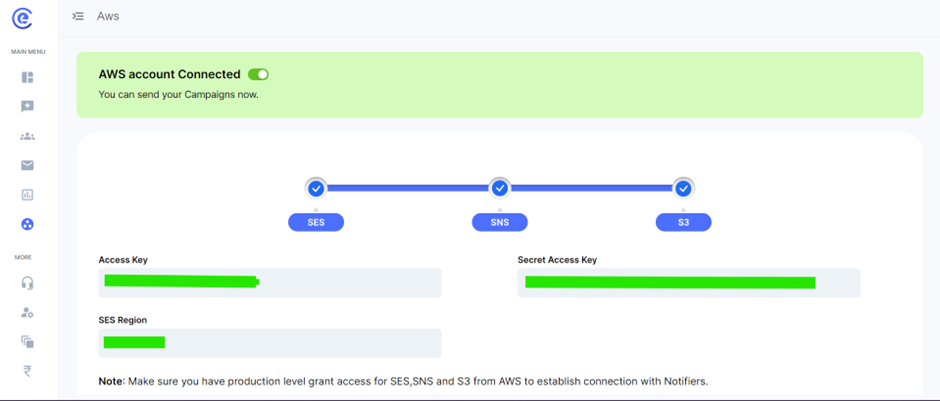
Setting Up the AWS Account Using Access Key:
- Users initiate by navigating to the AWS Management Console and signing up for an AWS account if they haven't already. Once signed in, they proceed to the IAM (Identity and Access Management) dashboard to create access credentials. Here, they generate an Access Key ID and Secret Access Key, which act as the authentication mechanism for accessing AWS services programmatically. These keys are securely stored and used in API calls or SDKs to interact with AWS services.
Configuring SES, SNS, and S3 Services:
- After obtaining access credentials, users configure SES, SNS, and S3 services according to their requirements. Within the AWS Management Console, users navigate to each service's dashboard to set up necessary configurations. For SES, this involves defining sending limits, verifying email addresses and domains, and configuring email templates and rules. In SNS, users configure topics, subscriptions, and notification endpoints for email delivery. In S3, users create buckets, set access permissions, and configure storage settings for storing email content or attachments.
Verifying Domain for Email Sending:
- To verify a domain for email sending, users navigate to the SES dashboard and access the "Identity Management" section. Here, they enter the domain they wish to verify and follow the instructions to add DNS records provided by SES to their domain's DNS settings. These DNS records serve as proof of ownership and control over the domain. Once DNS records are added and propagated, users return to the SES dashboard to complete the verification process. Verified domains can then be used to send emails via SES, ensuring higher deliverability rates and establishing sender reputation.
Resetting Configuration Settings to Default:
- In case users need to reset their configuration settings to default, they can do so by accessing the relevant service's dashboard within the AWS Management Console. Here, they navigate to the settings or configuration section and locate the option to reset to default settings. Upon confirmation, the service reverts to its initial configuration state, undoing any customizations or changes made by the user. This allows users to start afresh or troubleshoot issues by returning to a known working configuration state without impacting their AWS account or data.
By following these detailed steps, users can effectively set up and configure AWS SES, SNS, and S3 services for their email communication needs, ensuring seamless integration and optimal performance.