The Subscribers feature provides users with a centralized platform to manage and organize their contact lists effectively. With this feature, users can create, import, segment, and maintain subscriber lists, facilitating targeted and personalized email communication with their audience. Subscribers can include individuals, organizations, or entities who have opted in to receive email communications from the user or their organization.
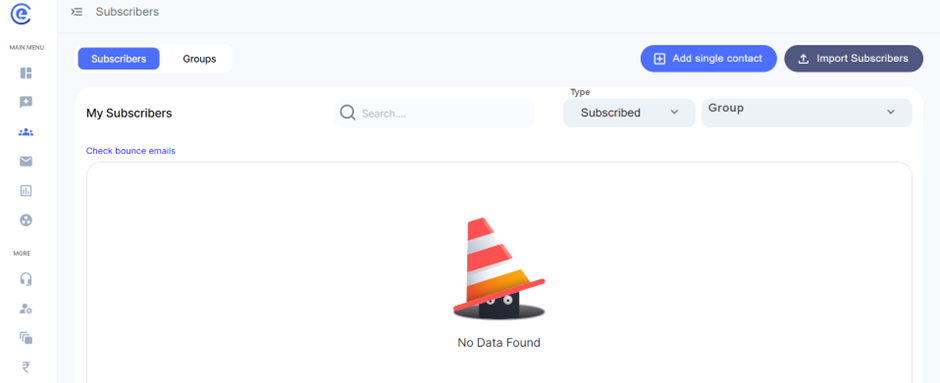
Adding a Single Contact:
- Comprehensive Information: When adding a single contact, users can input not only the individual's name and phone number but also additional details such as email address, location, and preferences. This comprehensive information enables users to personalize their communication effectively, leading to better engagement and relationship-building with subscribers.
- Custom Fields: Users can utilize custom fields to capture specific information relevant to their audience, such as job title, company name, or birthday. This flexibility allows for deeper segmentation and more tailored messaging based on individual subscriber characteristics.
Importing Subscribers Through Group Checks:
- Segmentation Options: Users can import subscribers through group checks, selecting specific segments or categories from their subscriber lists based on various criteria. These criteria may include demographics, past purchase behaviour, engagement levels, or subscription preferences.
- Bulk Import: The ability to import subscribers in bulk streamlines the process, saving users time and effort when adding large numbers of contacts to their lists. By selecting predefined groups, users can ensure that imported subscribers are targeted and relevant to specific campaigns or messaging strategies.
Checking Bounce Emails:
- Delivery Monitoring: By monitoring bounce emails within the platform, users can track the delivery status of their emails in real-time. This proactive approach allows users to identify and address delivery issues promptly, minimizing the impact on their sender reputation and ensuring that future emails reach the intended recipients successfully.
- Bounce Classification: Bounce emails are classified into two categories: soft bounces and hard bounces. Soft bounces typically indicate temporary delivery issues, such as a full inbox or a temporary server problem, while hard bounces indicate permanent delivery failures, such as an invalid email address or a blocked domain.
Organizing Subscribers Into Different Groups:
- Segmentation Strategies: Users can organize subscribers into different groups based on various segmentation strategies, such as demographics, geographic location, purchase history, or engagement levels. This segmentation enables users to create highly targeted and relevant campaigns tailored to the specific interests and preferences of each group.
- Dynamic Segmentation: Users can create dynamic segments that automatically update based on subscriber behaviour or characteristics. For example, users can create a segment for "Recent Purchasers" that includes subscribers who have made a purchase within the last 30 days. This dynamic approach ensures that segments remain up-to-date and relevant over time.
By leveraging these advanced features and functionalities within the Subscribers section, users can effectively manage their contact lists, streamline their communication efforts, and drive better engagement and results from their email campaigns.