In the world of email marketing, understanding the various metrics and components that make up your email dashboard is crucial for optimizing your campaigns. Whether you're sending transactional or promotional emails, monitoring key performance indicators helps you refine your strategy and achieve better results. This guide will walk you through the essential components of an email marketing dashboard, specifically focusing on the Sent, Open, Click, and Bounce metrics, as well as the delivery section comprising Delivery, Delivery Delay, Rendering Failure, and Complaint. Additionally, we will explain the different categories of emails: All, Transactional, and Promotional.
Sections: All, Transactional, and Promotional
All:
- Explanation: The All section includes every email sent from your platform, encompassing both transactional and promotional emails. This section provides an overview of your entire email marketing activity, allowing you to track and analyze the performance of all your campaigns collectively.
- Importance: By monitoring all emails together, you can get a holistic view of your email marketing efforts and understand the overall impact of your communications.
Transactional:
- Explanation: Transactional emails are triggered by specific actions or events, such as order confirmations, shipping notifications, password resets, and account updates. These emails are crucial for providing essential information and facilitating smooth transactions.
- Importance: Transactional emails often have higher open rates because they contain important and expected information. Ensuring these emails are timely and accurate helps maintain customer trust and satisfaction.
Promotional:
- Explanation: Promotional emails are sent to promote products, services, or events. This category includes newsletters, sales announcements, special offers, and marketing campaigns designed to engage customers and drive conversions.
- Importance: Promotional emails are vital for driving sales and customer engagement. Monitoring their performance helps you optimize content, design, and timing to maximize impact and ROI.
Email Dashboard Components:
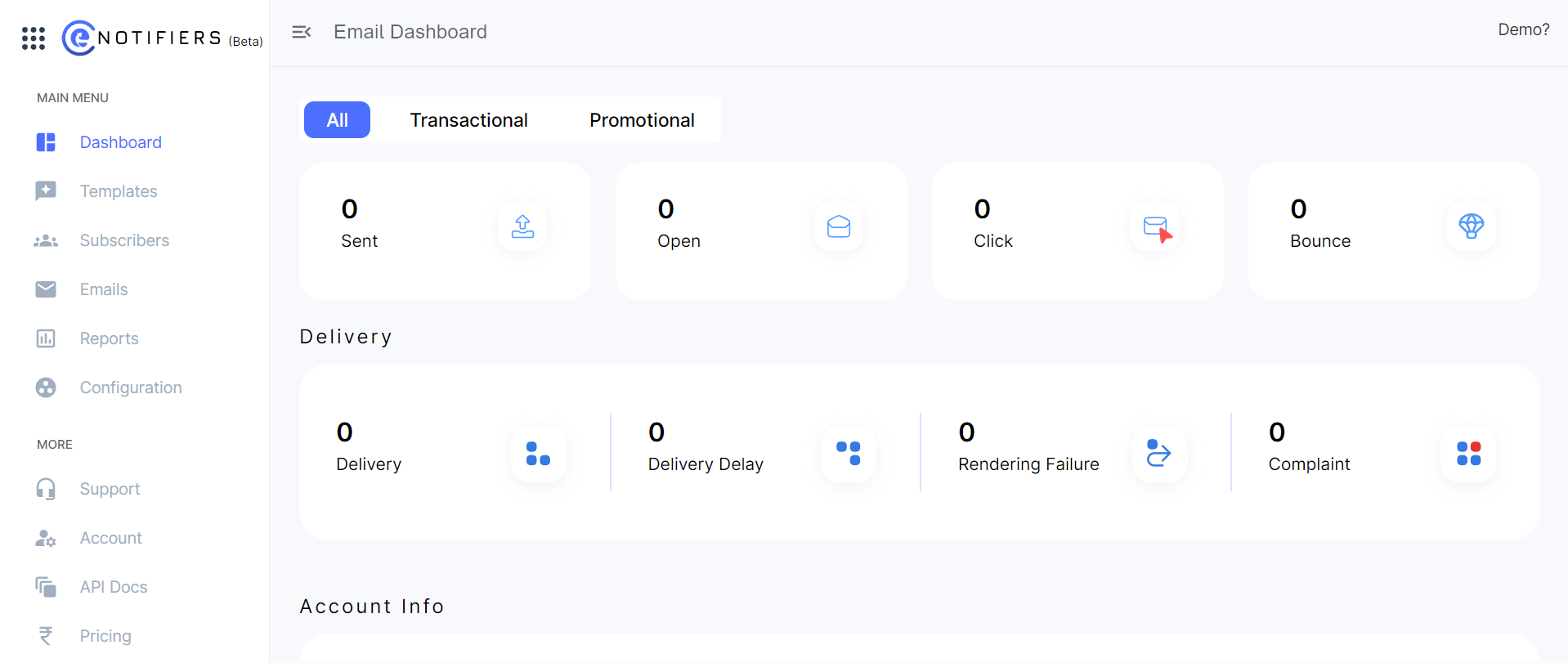
1. Sent:
- Explanation: The Sent metric represents the total number of emails dispatched from your email marketing platform. This figure includes every email sent, regardless of whether it reaches the recipient's inbox. Monitoring the sent metric is crucial as it gives you an overview of your email volume and helps you manage sending limits imposed by email service providers.
- Importance: Tracking the number of sent emails helps you gauge the reach of your campaign and manage your email quota. It’s also useful for assessing the overall workload and capacity of your email marketing efforts.
2. Open:
- Explanation: The Open metric indicates the number of recipients who have opened your email. This is typically tracked using an invisible tracking pixel that loads when the email is opened. The open rate, which is the percentage of opened emails out of the total sent, provides insight into how well your subject lines and preview text are performing.
- Importance: A high open rate suggests that your subject lines are compelling and relevant to your audience. Conversely, a low open rate might indicate the need for more enticing subject lines or better targeting.
3. Click:
- Explanation: The Click metric measures the number of times recipients have clicked on links within your email. This includes links to your website, social media, or any call-to-action (CTA). The click-through rate (CTR) is calculated as the number of clicks divided by the number of emails delivered.
- Importance: Clicks are a strong indicator of engagement and interest in your content. A higher CTR means that your email content and CTAs are resonating with your audience, driving them to take action.
4. Bounce:
- Explanation: The Bounce metric indicates emails that were not successfully delivered to recipients' inboxes. Bounces are classified into two types:
- Hard Bounce: These are permanent delivery failures, typically due to invalid email addresses or non-existent domains. Hard bounces should be removed from your list to maintain its health.
- Soft Bounce: These are temporary issues such as a full inbox or a server problem. Soft bounces can be retried, but persistent soft bounces should eventually be cleaned from your list.
- Importance: Monitoring bounces helps maintain the quality of your email list. High bounce rates can damage your sender reputation and affect future deliverability.
Delivery Section Components:
1. Delivery:
- Explanation: The Delivery metric shows the number of emails that have successfully reached the recipients' email servers. This does not guarantee the email has landed in the inbox, as it could be in the spam folder or other tabs.
- Importance: High delivery rates indicate that your email list is clean and your sending practices are effective. Ensuring high delivery rates helps in achieving better overall campaign performance.
2. Delivery Delay:
- Explanation: Delivery Delay measures the time taken for your emails to be delivered to recipients' servers after being sent from your platform. Delays can occur due to server issues, email throttling by service providers, or network congestion.
- Importance: Monitoring delivery delays helps ensure timely communication with your audience. Delays can impact the relevance and effectiveness of time-sensitive campaigns.
3. Rendering Failure:
- Explanation: Rendering Failure occurs when an email is delivered but cannot be correctly displayed by the recipient's email client. This can be due to issues with HTML/CSS compatibility, missing images, or unsupported email clients.
- Importance: Ensuring your emails render correctly across different devices and email clients is essential for a positive user experience. Frequent rendering failures can reduce engagement and negatively impact your brand’s image.
4. Complaint:
- Explanation: The Complaint metric tracks the number of recipients who mark your email as spam or report it as unwanted. High complaint rates can harm your sender reputation and future deliverability.
- Importance: Monitoring complaints is critical for maintaining a good sender reputation. Addressing the causes of complaints, such as irrelevant content or too frequent emails, helps reduce this metric and improve overall engagement.
Understanding and effectively managing these email marketing metrics is key to optimizing your campaigns. By closely monitoring the Sent, Open, Click, and Bounce metrics, you can gauge the reach, engagement, and effectiveness of your emails. Additionally, keeping an eye on delivery-related metrics like Delivery, Delivery Delay, Rendering Failure, and Complaint ensures that your emails are reaching the intended audience and providing a positive user experience. By leveraging these insights, you can refine your strategies, enhance customer engagement, and achieve better outcomes in your email marketing efforts.